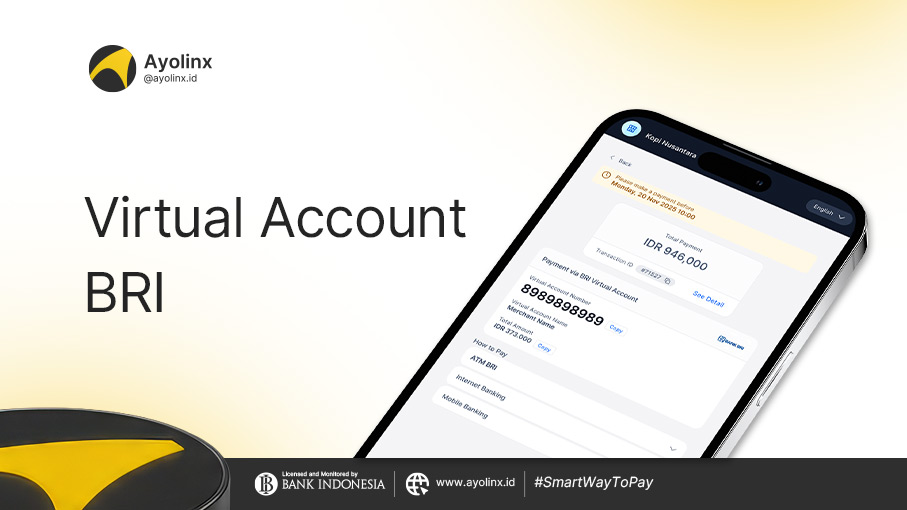
Have you ever been asked to make a payment using a unique account number that is automatically verified? That is what is called a Virtual Account. For customers of Bank Rakyat Indonesia (BRI), this service is known as BRIVA (BRI Virtual Account).
This service is designed to simplify digital transactions, whether for online shopping, paying educational bills, or topping up digital wallets.
What Is a BRI Virtual Account (BRIVA)?
BRIVA is a special identification number provided by a company or merchant to customers as a payment method. Unlike manual transfers to regular bank accounts, you do not need to upload proof of transfer because the system automatically detects payments in real-time.
Benefits of Using BRI Virtual Accounts
- Automatic & Real-Time: Transactions are instantly verified without the need for manual confirmation.
- Hassle-Free: No need to manually enter the payment amount (for many services, the billing amount appears automatically).
- Guaranteed Security: Each transaction has a unique number that minimizes the risk of sending money to the wrong account.
- Available 24/7: Can be used anytime through the BRImo application, ATM, or internet banking.
Examples of Using BRI Virtual Accounts
Some daily activities that commonly use BRIVA services include:
- E-Commerce: Payments for shopping on Shopee, Tokopedia, or Lazada.
- Balance Top-Ups: Adding balance to OVO, GoPay, DANA, or LinkAja.
- Education: Paying school tuition fees or university tuition (UKT).
- Recurring Bills: Payments for electricity (PLN), insurance, and vehicle installments.
How to Make Payments to a BRI Virtual Account
Here are the practical steps through various BRI payment channels:
1. Via the BRImo Application (Most Practical)
- Open the BRImo application and log in.
- Select the “BRIVA” menu.
- Click “Add New Transaction.”
- Enter the Virtual Account Number (example: 12345xxxxxxxx).
- Check the billing details that appear. If everything is correct, click “Confirm.”
- Enter your BRImo PIN. Transaction completed!
2. Via BRI ATM
- Insert your ATM card and enter your PIN.
- Select the “Other Transactions” menu > “Payments.”
- Choose “Others” > “BRIVA.”
- Enter the Virtual Account Number.
- Confirm the details displayed on the screen, then select “Yes.”
3. Via BRI Internet Banking
- Log in to the official BRI Internet Banking website.
- Select the “Payments” menu > “BRIVA.”
- Enter the Virtual Account Number.
- Follow the validation instructions using the m-Token to complete the transaction.
Do you own a business and still struggle with customer payment processes? Don’t let potential customers cancel just because the transfer process is complicated.
With Payment Link from Ayolinx, you can send invoices through a single link that is already connected to various payment methods, including BRI Virtual Accounts. Customers only need to click, choose their payment method, and complete the payment in seconds.
So, what are you waiting for? Let’s sign up for Ayolinx now!