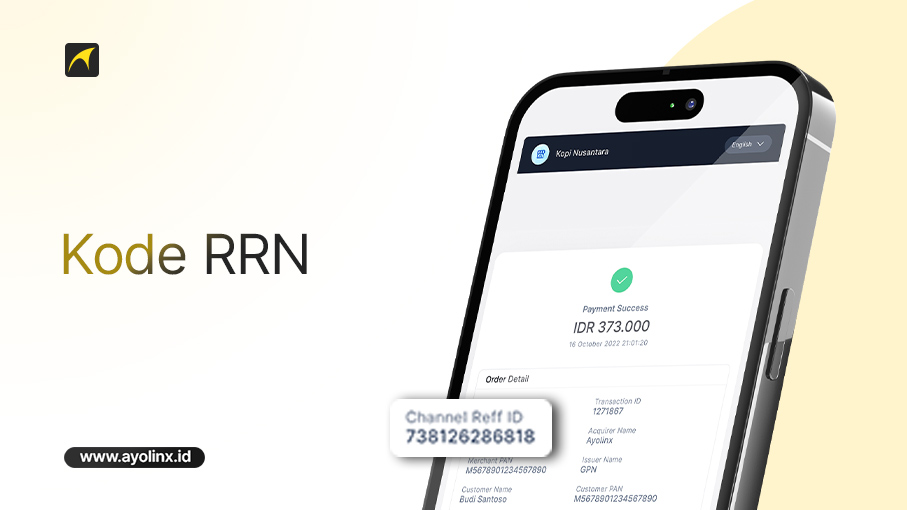
In every digital transaction—whether it’s a payment using cards, e-wallets, or bank transfers—there is a unique code that often goes unnoticed by users, known as the RRN code. kode RRN.
This code plays an important role in the payment system, especially when issues occur such as failed transactions, pending status, or funds not being received. So, what exactly is an RRN code and how do you use it? Let’s take a closer look below.
What Is an RRN Code?
The RRN (Retrieval Reference Number) is a unique code used to identify each financial transaction specifically.
This code usually consists of a combination of numbers and functions as a transaction identifier that can be used to track, verify, or resolve transaction issues.
In short: RRN Code = a unique reference number for every transaction
Functions of the RRN Code in Transactions
The RRN code has several important functions, including:
- Transaction Tracking
The RRN code helps banking systems or payment gateways quickly locate transaction details.
- Payment Verification
It serves as proof that a transaction has actually occurred and has been processed by the system.
- Resolving Transaction Issues
In cases such as:
- pending transactions
- funds not received
- failed payments
the RRN code becomes the main reference for investigation.
- Official Proof of Transaction
This code is often used by customer service teams to assist in transaction verification.
Where to Find the RRN Code?
The RRN code can usually be found in:
- Payment receipts (EDC / ATM)
- Mobile banking transaction history
- E-wallet applications
- Merchant dashboards (payment gateways such as Ayolinx)
It is usually displayed as:
- RRN
- Reference Number
- Transaction ID
How to Check the RRN Code
Here are simple ways to find the RRN code:
Via Mobile Banking
- Open your banking app
- Go to transaction history
- Select the transaction you want to check
- Look for the Reference / RRN section
Via E-Wallet
- Open the app (OVO, DANA, GoPay, etc.)
- Select the transaction
- View payment details
- Find “Transaction Code” or “"Ref ID”
Via Merchant / Dashboard
- Log in to the payment dashboard
- Select the transaction
- View details → the RRN will be displayed
When Is the RRN Code Needed?
The RRN code is very important when:
- Funds have been deducted but not received
- A transaction fails but the balance is reduced
- You want to file a complaint with the bank or merchant
- You need proof of payment
Without this code, the verification process may take longer
Importance of the RRN Code for Businesses
For business owners, the RRN code is very helpful for:
- Tracking customer payments
- Avoiding recording errors
- Simplifying the refund process
- Increasing transaction transparency
With an integrated system, all transaction codes can be stored automatically
Tips for Safely Using the RRN Code
To keep your transactions secure:
- Keep your transaction receipts
- Do not share payment details carelessly
- Use trusted payment systems
- Ensure transaction data is properly recorded
The RRN code is an essential part of the digital transaction system, serving as a unique identifier for every payment. By understanding its function and how to check it, you can more easily track transactions and resolve payment issues.
For both users and businesses, the RRN code helps create a more transparent, secure, and efficient transaction system.
Use a practical and reliable payment system to support smooth business transactions.
With QRIS from Ayolinx, you can accept payments from various e-wallets and mobile banking apps using a single, easy-to-use QR code. All transactions are recorded automatically, securely, and in real-time.
Register for QRIS Ayolinx now and enjoy hassle-free payment acceptance!